Pdztools integrates with the Etsy Marketplace API v3 on behalf of sellers who grant OAuth 2.0 access to their shops. The integration is scoped to four workflows below. No Etsy data is sold, shared, or used outside the seller's own workspace.
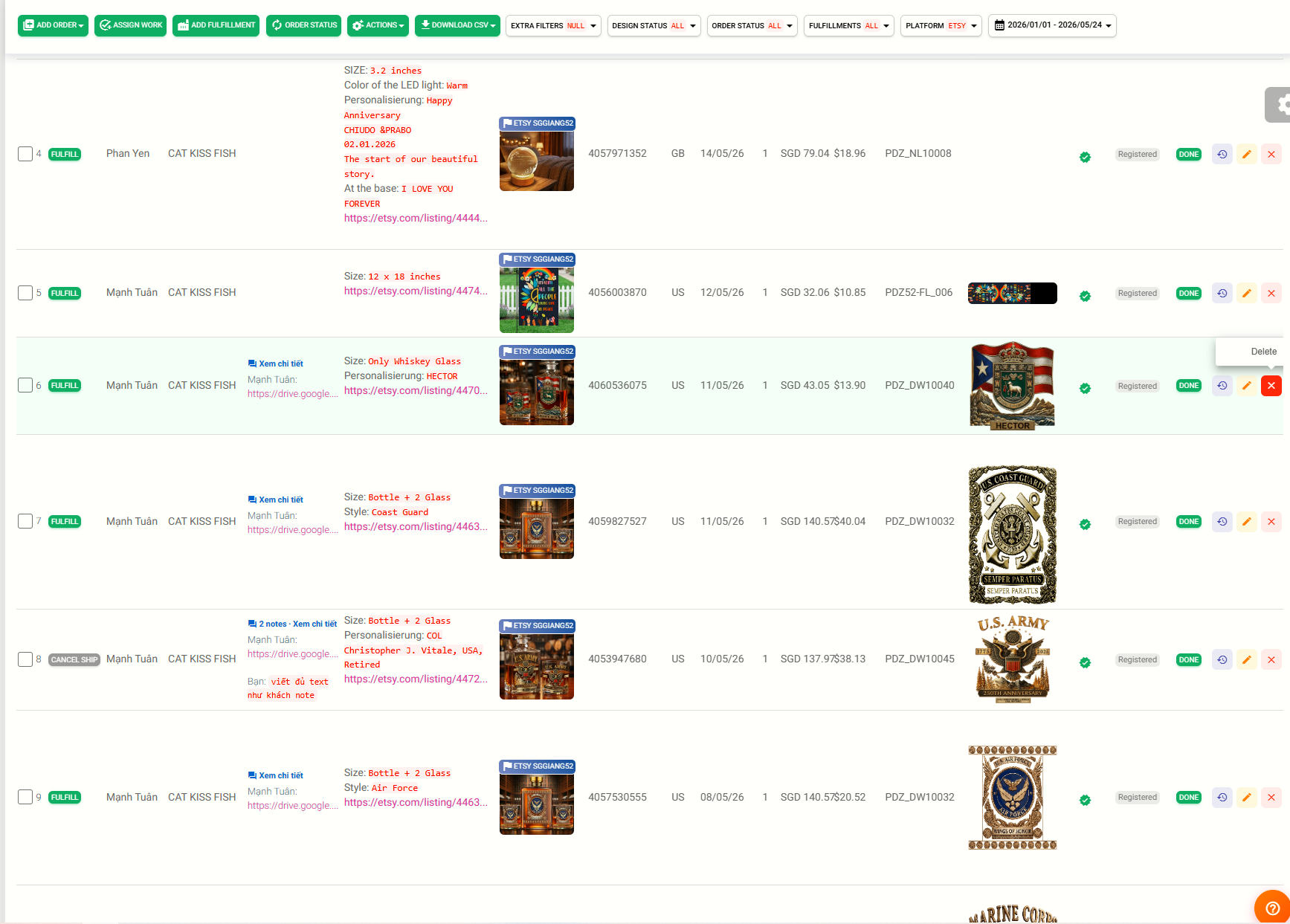
Sellers connect their Etsy shop via OAuth. Once connected, Pdztools calls the Receipts endpoint to import new and recent orders into the seller's private dashboard, eliminating manual CSV downloads.
GET /v3/application/shops/{shop_id}/receipts
- Fetches buyer shipping address, line items, SKU, quantity, sale price, and buyer personalization notes (custom text submitted by the customer at checkout)
- Sync runs on a fixed schedule twice daily — 07:30 and 13:30 (UTC+7). Sellers can also trigger an on-demand sync at any time via a "Sync Orders" button inside the dashboard
- Orders are stored inside the seller's isolated workspace — never visible to other accounts
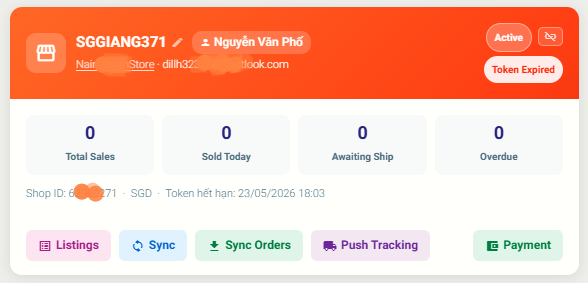
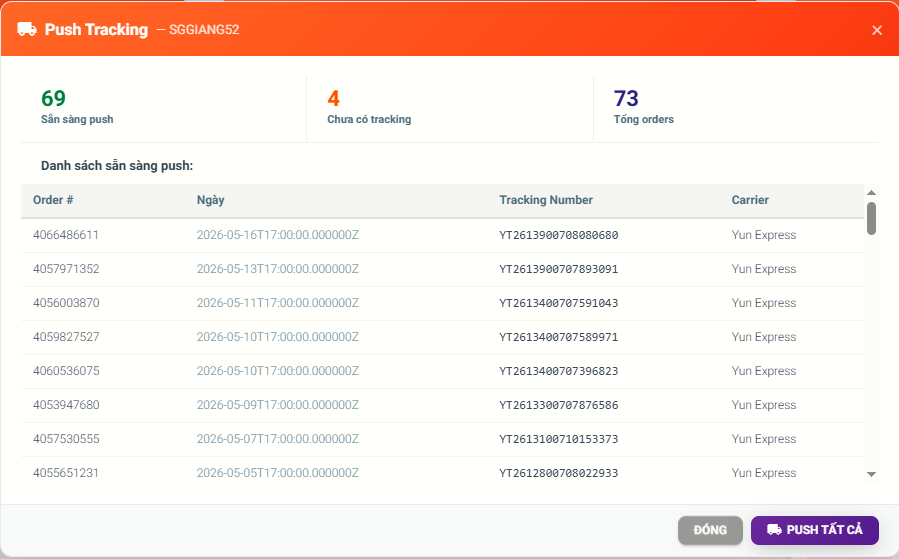
After a fulfillment partner (e.g., Dreamship, Printway, Lenful) ships an item and returns a tracking number, Pdztools automatically posts it back to the corresponding Etsy receipt.
POST /v3/application/shops/{shop_id}/receipts/{receipt_id}/tracking
- Keeps buyers informed with real carrier tracking — no manual action by the seller
- Helps sellers maintain Etsy's on-time shipping metrics and Star Seller status
- Only the tracking carrier and number are written — no other order fields are modified
Read: We read the seller's active listings to resolve SKU and variant information when an order arrives, powering automatic fulfillment routing.
GET /v3/application/shops/{shop_id}/listings/active
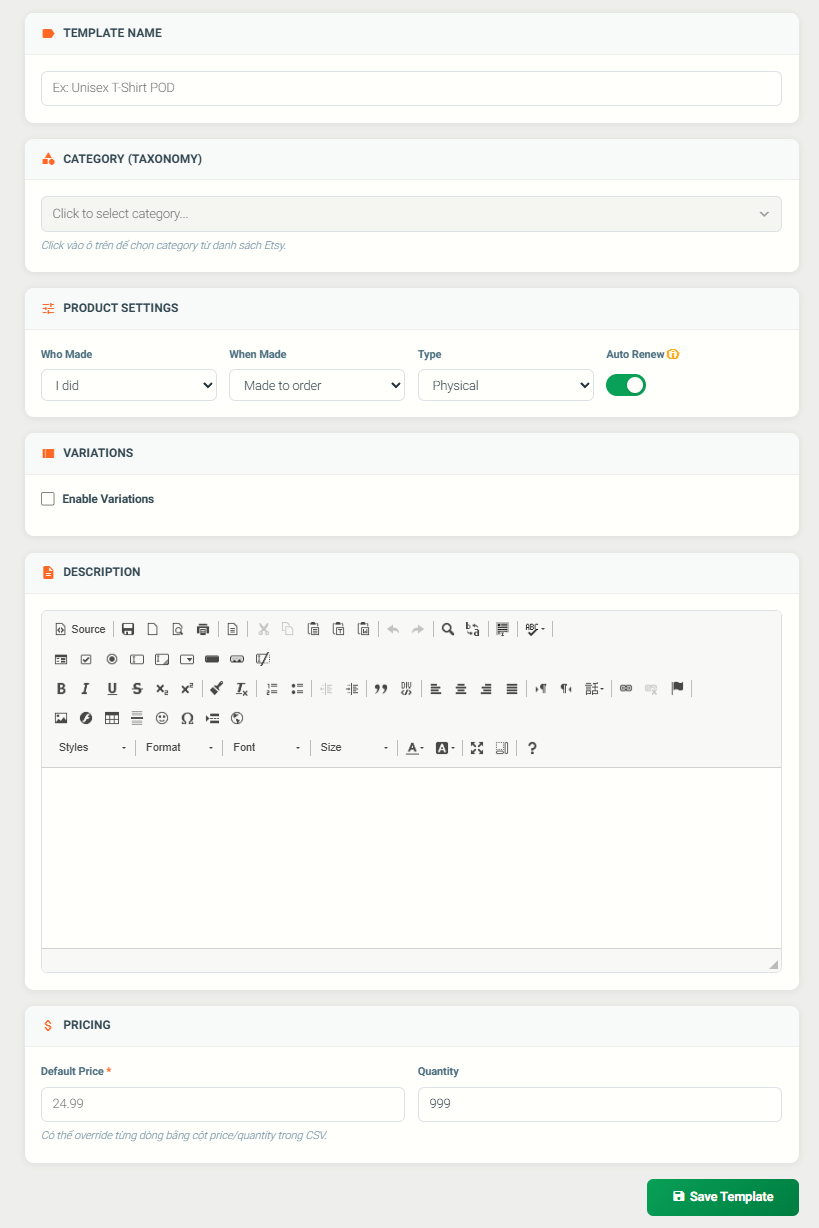
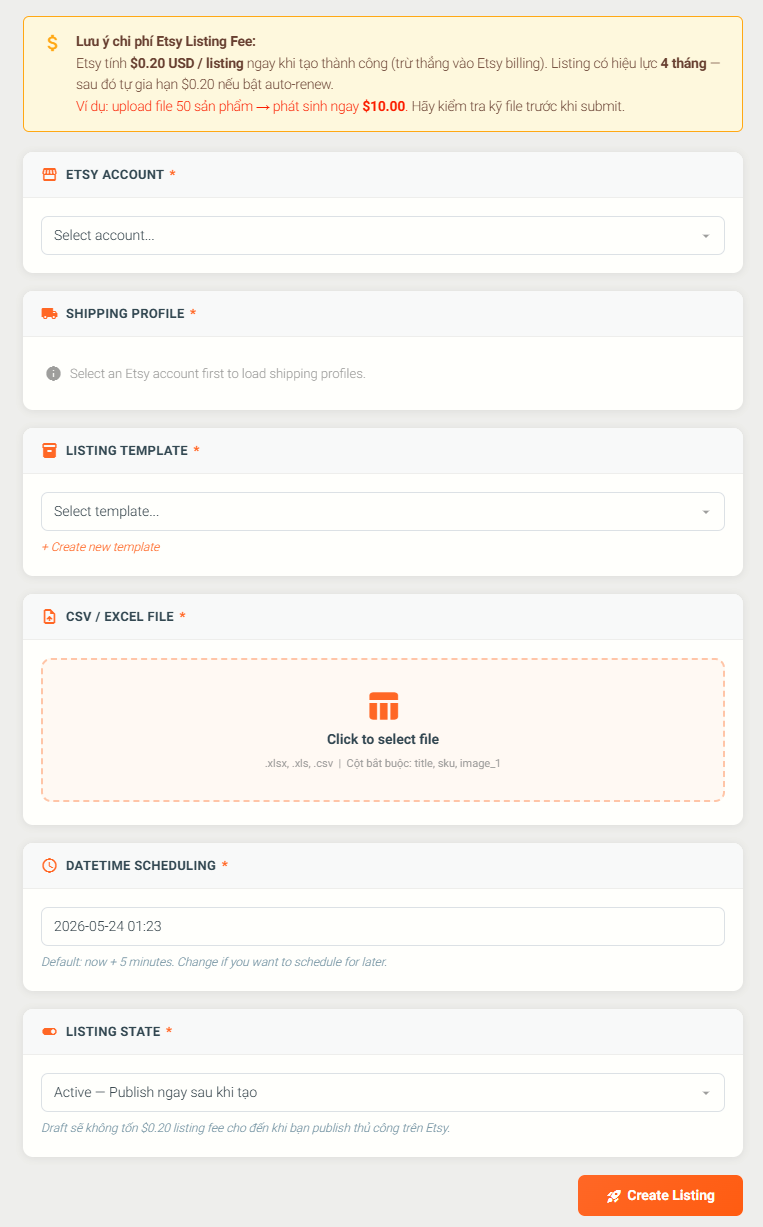
Write: Sellers can bulk create listings by uploading a CSV file inside Pdztools. The system maps each row against a pre-configured listing template (description, shipping profile, price, variants) and creates the listing on Etsy via API.
POST /v3/application/shops/{shop_id}/listings
- Each listing is created with seller's choice of state: active (published immediately) or draft (saved for review before publishing)
- Supports up to 10 images per listing and multiple variants (e.g., Size, Color) generated from a template
- Listing creation runs on a schedule set by the seller — the system processes queued jobs at the exact time the seller specified
- Pdztools does not edit or delete existing listings
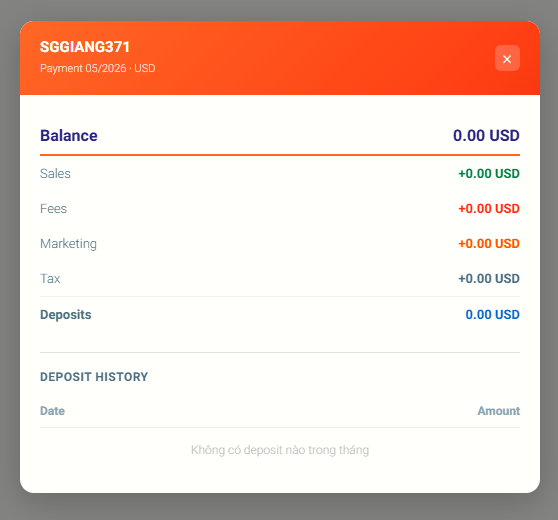
Pdztools calls the Etsy Payment Account (ledger) endpoint once daily at 17:00 to pull financial data for each connected shop. This powers accurate daily and monthly profit reporting for the seller.
GET /v3/application/shops/{shop_id}/payment-account/ledger-entries
Data pulled from the ledger includes:
- Sales & refunds — gross payment amounts and refund adjustments
- Etsy fees — transaction fees, payment processing fees, VAT on seller services, auto-renew fees
- Marketing costs — Etsy Ads (Promoted Listings) and Offsite Ads fees
- Current balance — shop's available balance in the seller's currency
- Deposits (disbursements) — records of when Etsy transfers funds to the seller's bank account
All financial data is aggregated into a daily report visible only to the authenticated shop owner. Net profit is calculated by deducting production costs and all Etsy fees from gross sales. Data is never shared across accounts, used for advertising, or sold to third parties.
OAuth 2.0 Scopes Requested
Pdztools requests only the minimum scopes necessary to power the four workflows above. The following scopes are requested during the OAuth authorization flow:
transactions_r
Read orders, receipts, and payment account ledger entries — required for order sync, fulfillment routing, and revenue/fee reporting
transactions_w
Write to orders — required to push tracking numbers back to Etsy receipts
listings_r
Read active listings — required for SKU mapping and fulfillment routing
listings_w
Create listings — required for bulk listing creation from CSV upload
shops_r
Read shop details — required to identify the connected shop and validate the seller's account
profile_r
Read seller profile — used to associate the OAuth connection with the correct Pdztools account
email_r
Read seller email — used to verify and link the Etsy account to the seller's Pdztools account
Etsy Connection Flow
How a seller authenticates and connects their Etsy shop to Pdztools via OAuth 2.0 (PKCE).
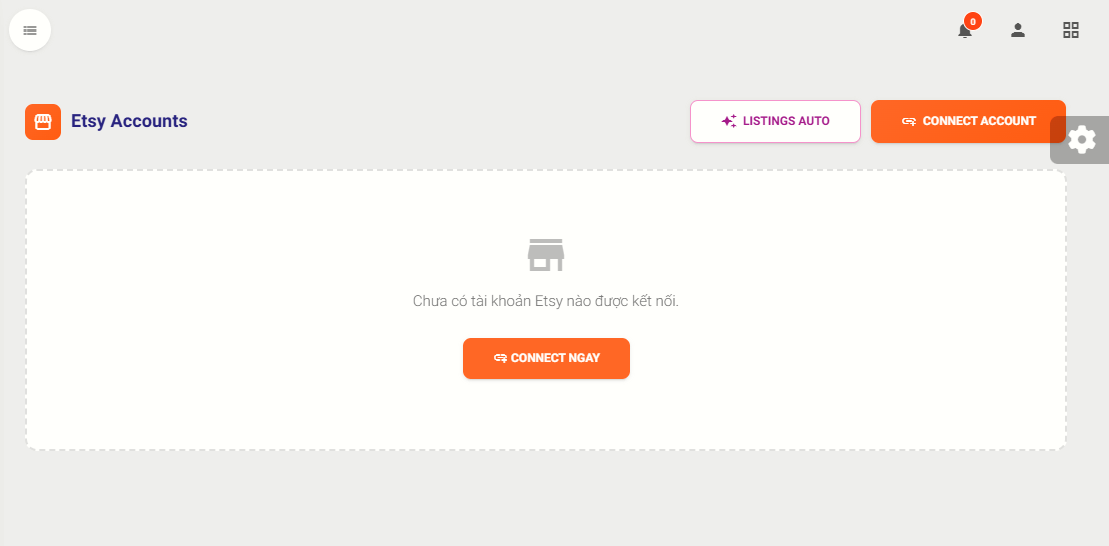
Inside Pdztools, the seller navigates to the Etsy Accounts page and clicks the Connect button. Pdztools generates a PKCE code verifier and code challenge, then redirects the seller to Etsy's authorization URL with the requested scopes.
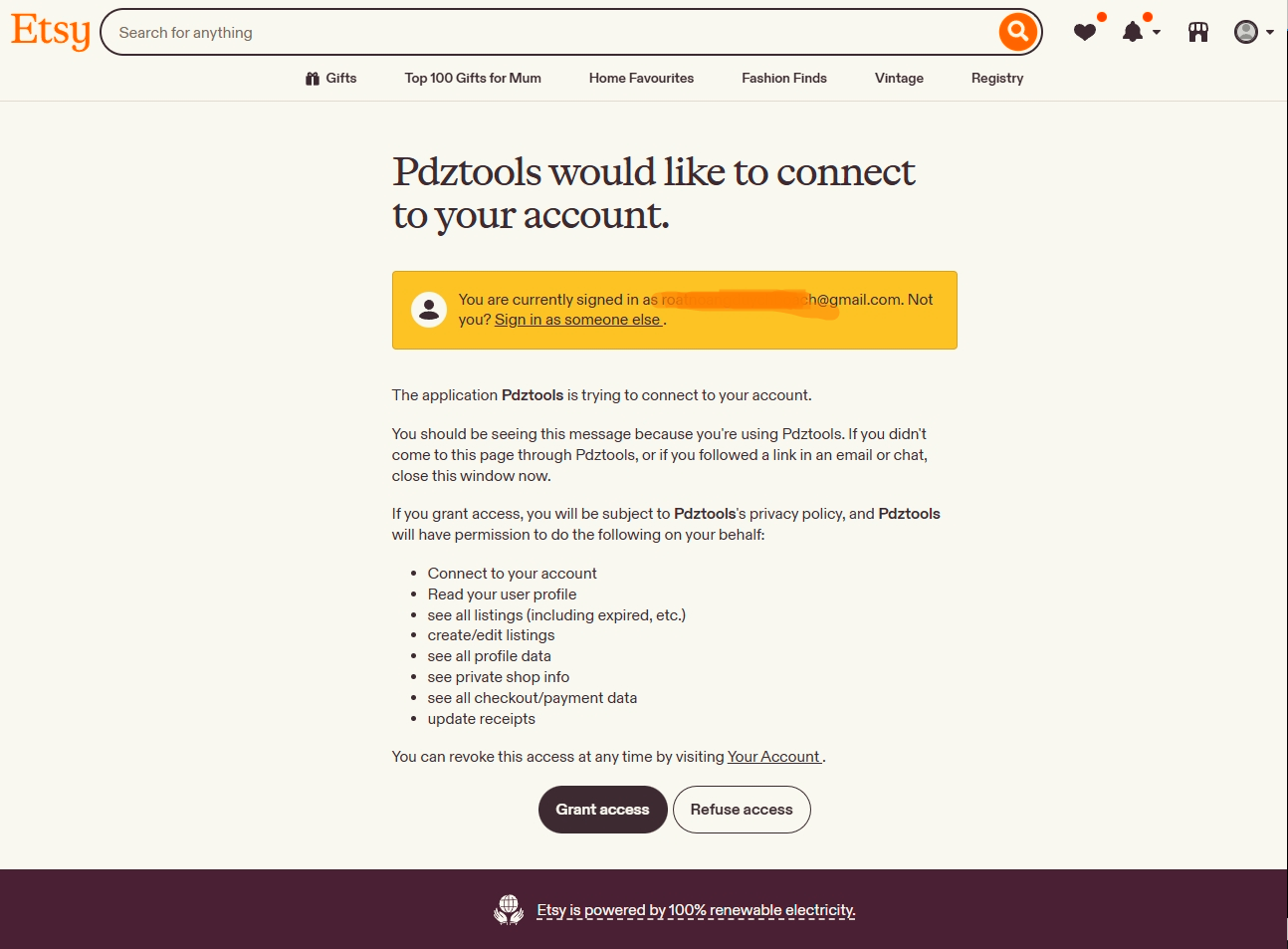
The seller is redirected to Etsy's website where they are shown exactly which permissions Pdztools is requesting. The seller must explicitly click Grant Access to proceed — no access is granted without this confirmation.
After the seller grants access, Etsy redirects to the Pdztools callback URL with a one-time authorization code. Pdztools exchanges this code for an access token and refresh token using the PKCE code verifier. Tokens are stored securely and scoped to this shop only.
Pdztools fetches the shop details (shop name, shop ID, seller email) and links the account. The seller is returned to the Etsy Accounts page where the connected shop is now listed and active. All subsequent API calls use the stored token — the seller does not need to re-authenticate unless they revoke access.
Video Walkthrough — OAuth Connection Demo
A screen recording of the full connection flow: from clicking "Connect Account" through the Etsy permission screen, to the shop appearing as connected inside Pdztools.
The video shows the complete user journey — no editing, no cuts — as required by Etsy's API review process.
POST /v3/public/oauth/token before proceeding. If the refresh token has been revoked (e.g., the seller disconnected from Etsy), the shop is immediately marked as suspended and no further API calls are made. Sellers can reconnect at any time by going through the OAuth flow again.